
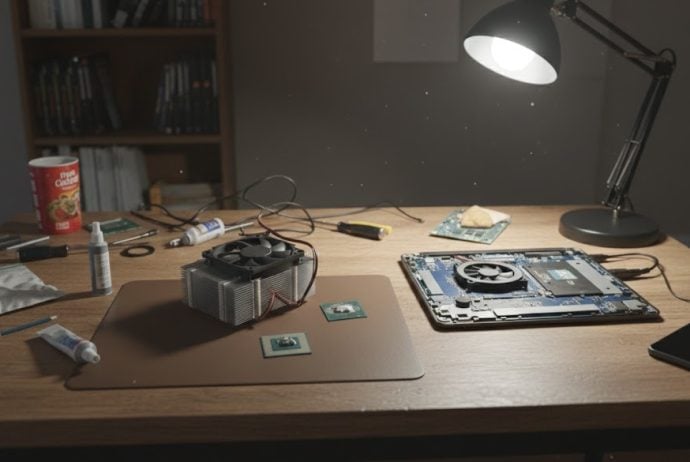
When building or maintaining a computer, the focus is often on the CPU, GPU, and cooling solutions. Yet, one small component frequently overlooked can significantly impact performance: thermal paste. This humble substance, often referred to as thermal compound or thermal grease, plays a pivotal role in managing your system’s heat. But how important is it really? Let’s dive into the science, types, maintenance, and performance implications of thermal paste.
What Is Thermal Paste?
Thermal paste is a thermally conductive substance applied between a computer’s processor (CPU) or graphics card (GPU) and its heatsink. Its primary function is to fill microscopic gaps and imperfections between these surfaces to ensure maximum heat transfer.
Even though both the CPU and heatsink may appear smooth, at a microscopic level, they are rough and uneven. Without thermal paste, air pockets form in these gaps, which are poor conductors of heat. Thermal paste fills these voids, improving the efficiency of heat dissipation and helping your cooling system perform optimally.
How Thermal Paste Affects Performance
The idea of thermal paste might seem trivial, but it can subtly influence your system’s performance in several ways:
Temperature Regulation
The most direct impact of thermal paste is temperature control. A well-applied, high-quality thermal paste ensures that heat moves efficiently from the CPU or GPU to the heatsink, keeping the processor cooler. Lower temperatures can lead to:
- Higher sustained clock speeds in processors due to reduced thermal throttling.
- Improved GPU performance in intensive gaming or rendering workloads.
- More stable system operation under heavy loads.
Long-Term Stability
Over time, inefficient heat transfer can cause components to run hotter than intended. This may not only reduce performance but also affect component longevity. Consistently high temperatures can accelerate wear on CPUs, GPUs, and motherboard components. Thermal paste, when applied correctly, helps maintain consistent operating temperatures, contributing to long-term system stability.
Overclocking Potential
For enthusiasts who overclock their CPUs or GPUs, thermal paste is a critical factor. Overclocking increases heat output, and poor thermal conduction can lead to rapid thermal throttling or even system crashes. Premium thermal pastes with higher thermal conductivity can make a noticeable difference in safe overclocking margins.
Types of Thermal Paste
Not all thermal pastes are created equal. They differ in composition, thermal conductivity, longevity, and ease of application. Understanding these differences helps you make an informed choice.
Metal-Based Thermal Paste
Composition: Typically contains micronized metals such as silver or aluminum.
Pros: Excellent thermal conductivity, ideal for high-performance CPUs.
Cons: Electrically conductive, which means accidental contact with motherboard traces can cause shorts. Requires careful application.
Ceramic-Based Thermal Paste
Composition: Contains ceramic powders such as aluminum oxide or boron nitride.
Pros: Non-conductive, safe to use around electrical components. Provides solid thermal performance.
Cons: Slightly lower thermal conductivity compared to metal-based pastes.
Carbon-Based Thermal Paste
Composition: Uses carbon compounds like graphene or carbon micro-particles.
Pros: Non-conductive, stable over time, excellent thermal transfer, often preferred for long-term builds.
Cons: Can be more expensive than traditional options.
Liquid Metal Thermal Paste
Composition: Gallium-based alloys with high thermal conductivity.
Pros: Extreme thermal performance, ideal for extreme overclocking.
Cons: Electrically conductive, can corrode aluminum heatsinks, and requires precise application.
Silicone-Based Thermal Paste
Composition: Basic silicon compounds mixed with zinc oxide or other fillers.
Pros: Affordable, easy to apply, widely available.
Cons: Lower thermal conductivity, more suitable for non-critical or stock builds.
How to Apply Thermal Paste Correctly
Applying thermal paste may seem simple, but technique matters:
- Clean the Surfaces: Use isopropyl alcohol and a lint-free cloth to clean both the CPU/GPU and heatsink.
- Apply the Right Amount: A pea-sized dot or a small line in the center is usually sufficient. Too much paste can be counterproductive.
- Spread or Press: Some prefer to spread the paste with a plastic card, while others rely on the heatsink pressure to evenly distribute it.
- Reassemble Carefully: Mount the heatsink evenly, applying uniform pressure. Avoid lifting and repositioning multiple times, which can create air bubbles.
Proper application ensures optimal contact and heat transfer. Even the best thermal paste won’t perform well if applied incorrectly.
How Often Should Thermal Paste Be Replaced?
Thermal paste doesn’t last forever. Its performance degrades over time due to:
- Drying out and becoming brittle
- Pump-out effects from thermal cycling
- Dust and environmental factors
Recommended Replacement Intervals
- Standard builds: Every 3–5 years
- High-performance or overclocked systems: Every 1–2 years
- Signs of replacement: Sudden temperature spikes, thermal throttling, or visible paste cracking
Replacing thermal paste is often cheaper and simpler than replacing cooling hardware or processors.
Thermal Paste Myths
More Paste Means Better Cooling
Too much thermal paste can insulate rather than conduct heat and may even spill onto the motherboard, causing electrical issues. Less is more—as long as it covers the surface evenly.
Any Thermal Paste Is Good Enough
While all pastes transfer heat to some degree, premium compounds outperform stock options. For demanding applications or overclocking, investing in high-quality paste can improve temperature by 5–10°C or more.
Once Applied, Thermal Paste Never Needs Attention
Even the best paste dries over time. Neglecting replacement can slowly degrade performance, especially in high-heat environments.
Measuring the Impact on Temperatures
Thermal paste alone won’t make your system dramatically faster, but it directly affects operating temperatures:
- Stock thermal paste: May have higher idle and load temperatures.
- Premium thermal paste: Can reduce CPU or GPU temperatures by several degrees Celsius, allowing sustained performance.
- Dried-out or poorly applied paste: Leads to thermal throttling and unstable performance.
Even a few degrees difference is significant in CPUs and GPUs, as modern processors throttle aggressively to prevent overheating.
Does Thermal Paste Affect FPS or Benchmarks?
Thermal paste itself doesn’t increase raw computational performance, but it enables the system to maintain peak performance for longer. In gaming or rendering:
- Proper thermal paste keeps CPU/GPU clocks high.
- Avoids sudden drops in FPS due to thermal throttling.
- Helps maintain consistency in long gaming or rendering sessions.
In other words, the benefit is stability and sustained performance, not instantaneous speed gains.
Factors That Influence Thermal Paste Performance
- Processor TDP (Thermal Design Power): Higher TDP processors generate more heat and benefit more from premium thermal paste.
- Cooling System Pressure: Even the best paste requires proper heatsink mounting pressure to spread evenly.
- Environmental Conditions: High ambient temperatures or dusty environments accelerate paste degradation.
- Type of Paste: Metal-based or carbon-based pastes offer superior thermal conductivity compared to generic silicone compounds.
Conclusion:
Yes, thermal paste matters, but its significance is often misunderstood:
- It doesn’t make a slow CPU faster, but it allows a CPU to reach and maintain its full potential.
- It prevents overheating, thermal throttling, and long-term wear on your components.
- Choosing the right type and applying it correctly can improve temperatures by several degrees, which is critical for overclocking or sustained workloads.
- Replacing dried-out or old paste is a simple maintenance step that preserves system stability.
Ultimately, thermal paste is a small investment that pays off in system reliability, longevity, and consistent performance. Whether you’re a casual user, gamer, or enthusiast overclocker, understanding and properly maintaining thermal paste is a subtle but crucial part of a healthy PC build.